You finally decide it’s time to switch affiliate programs.
Maybe the commission dropped, the product quality slipped, or payouts got slow.
The business reason is easy.
The scary part is the move itself.
One wrong step and you’ve got broken links across old blog posts, lost tracking on high-traffic pages, and readers clicking buttons that lead nowhere.
That’s like changing the locks while customers are still walking in the door.
The good news is you can swap programs without chaos if you treat it like a controlled handoff, not a last-minute replacement.

Why switching affiliate programs breaks links (and trust)
Affiliate links break for three common reasons:
You used direct affiliate URLs everywhere. If your old program link is pasted into 40 posts, every one of those needs updating. Miss a few and you’ll have dead ends.
The new program uses a different tracking setup. Some programs track with a basic ID, others use parameters like subid or clickref. If you copy the wrong link format, clicks still happen, but sales don’t attach to you.
Your content promises something the new offer doesn’t match. Readers don’t care that you switched networks. They care that the button still leads to the tool you described, at the price and features you mentioned.
If you want a bigger view of how trust turns into clicks and commissions, skim this beginner-friendly resource: Affiliate marketing for beginners guide.
Pick a link strategy that won’t punish “future you”
Before you change anything, decide how you want links to work going forward.
You have two main options.
Option 1: Keep using direct affiliate links (fast, fragile)
This is fine when you have a few pages and you rarely change partners.
It gets painful when you have a content library, a newsletter archive, YouTube descriptions, or PDFs you can’t edit.
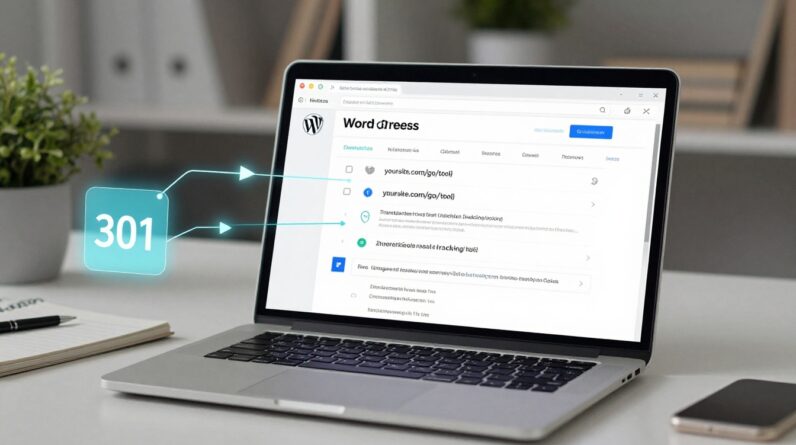
Option 2: Use your own redirect links (slower setup, easier switches)
This is the safer long-term play.
You link to something like:
yourdomain.com/go/toolname
That redirect points to your current affiliate URL behind the scenes.
Next time you switch programs, you change one redirect, not 40 posts.
Most site owners do this with a link management plugin (common on WordPress) or with redirects on their own server.
301 vs 302 in plain language:
- 301 redirect = “This moved for good.” Often the better choice for link stability.
- 302 redirect = “This is temporary.” Useful when you’re testing or running a short swap.
If you’re already getting steady traffic and want a simple plan to grow commissions faster, this roadmap pairs well with a clean link setup: Earn your first $500 with affiliate marketing in 30 days.
Do this prep work before you touch any links
Switching programs goes smoothly when you start with an inventory and a map.
Give yourself an hour for prep, and you’ll save days later.
Here’s your pre-switch checklist:
- List every place links live: blog posts, comparison pages, email sequences, lead magnets, YouTube descriptions, Pinterest pins, PDFs, and link-in-bio tools.
- Export your top pages by clicks and sales: start with the 10 to 20 pages that bring revenue.
- Screenshot your current dashboard stats: clicks, conversions, EPC, and the date range. You’ll use this as a baseline.
- Collect new program link formats: the base tracking link, deep link rules, and any sub ID fields.
- Write a one-line “reader note” draft: you might not need it, but it’s ready if something changes on the page.
Think of it like moving houses.
You don’t start by throwing furniture into a truck, you label boxes first.
A safe, step-by-step way to switch affiliate programs
You don’t need a perfect migration.
You need a controlled one.
Step 1: Keep the old program active for a short overlap
If possible, don’t cancel the old program on day one.
Give yourself a buffer (even 7 to 14 days) so late conversions still track.
Step 2: Start with one “money page”
Pick a page that already converts, but isn’t your highest earner.
Update just that page first.
If you use your own redirect links, you’ll change the destination URL.
If you used direct links, you’ll replace them on the page.
Step 3: Match the offer to the promise on the page
Read your own content like a customer.
If your post says “free trial,” but the new program offers “demo only,” rewrite the sentence or choose a different partner.
This is where entrepreneurs protect their reputation.
You’re building an asset, not chasing a quick commission.
Step 4: Add tracking you can read later
Most affiliate platforms let you add a sub ID (sometimes called subid, sid, clickref, or “tracking”). Use it.
A simple naming habit keeps you sane:
postname-buttonpostname-textlinkreview2026-topcta
Now you can see what’s working without guessing.
Step 5: Test like a buyer
Do a real click test:
- Click from your page in an incognito window.
- Confirm the landing page is correct (not the homepage by accident).
- Complete any “lead” action if it’s a lead-based program (like a free signup).
- Check if the click shows up in the new dashboard.
You’re looking for proof, not hope.
Step 6: Roll out in batches
Once the test page looks good, move in batches (10 pages at a time).
After each batch, re-check clicks and landing pages.
If you have a lot of content, focus on what matters most first.
Your long tail pages can wait.
Keep tracking from going dark
Tracking loss often hides until payday.
By then, it’s hard to fix.
Watch for these common traps:
Cookie window changes: Some programs credit for 30 days, others for 24 hours. That can drop earnings even if clicks stay the same. You can’t control it, but you should know it before you panic.
Deep link mistakes: Many programs need you to create deep links inside their dashboard. If you paste a product page URL into the wrong spot, tracking may disappear.
Redirect chains: If your link goes through too many hops (link shortener to plugin link to affiliate link), some tracking breaks or loads slow. Keep it simple.
A practical habit: check your click logs for the first 3 days after the switch, then again at day 7, then at day 30.
You’re watching for “clicks with no conversions,” which often signals a tracking issue or a mismatch offer.
Don’t confuse readers, keep trust intact
Readers don’t need a full backstory, but they do need clarity.
Here are clean ways to handle communication:
Update the call-to-action text. If your button says “Get 20 percent off,” and that’s no longer true, change it. Fast.
Keep your affiliate disclosure accurate. If your disclosure names a network or brand, update it to match the new program.
Add a short note only when it helps. On a high-traffic post, a one-liner can reduce support emails:
- “Update (Jan 2026): I switched to a partner that offers better support and faster payouts.”
That’s enough. You’re signaling that the link is current, without turning the post into a diary entry.
If you’re choosing a replacement offer and want topics that convert well for beginners, this guide can help you pick a fit: Top affiliate niches for beginners.
Your next move after you switch affiliate programs
A clean switch comes down to three things: stable links, verified tracking, and reader clarity.
Do the swap in small batches, test like a buyer, and keep your promises on the page.
Once you’ve done one controlled change, the next one feels routine.
That’s the point.
You’re building a business that can adapt without losing tracking or trust.